BleachBit Linux Cleaner Gets Text-Based Interface in Alpha Release
BleachBit Linux Cleaner Gets Text-Based Interface in Alpha Release
The popular open-source system cleaner BleachBit has launched an alpha version of a text-based user interface (TUI), giving Linux and Windows users a new way to manage system cleanup without a graphical desktop.
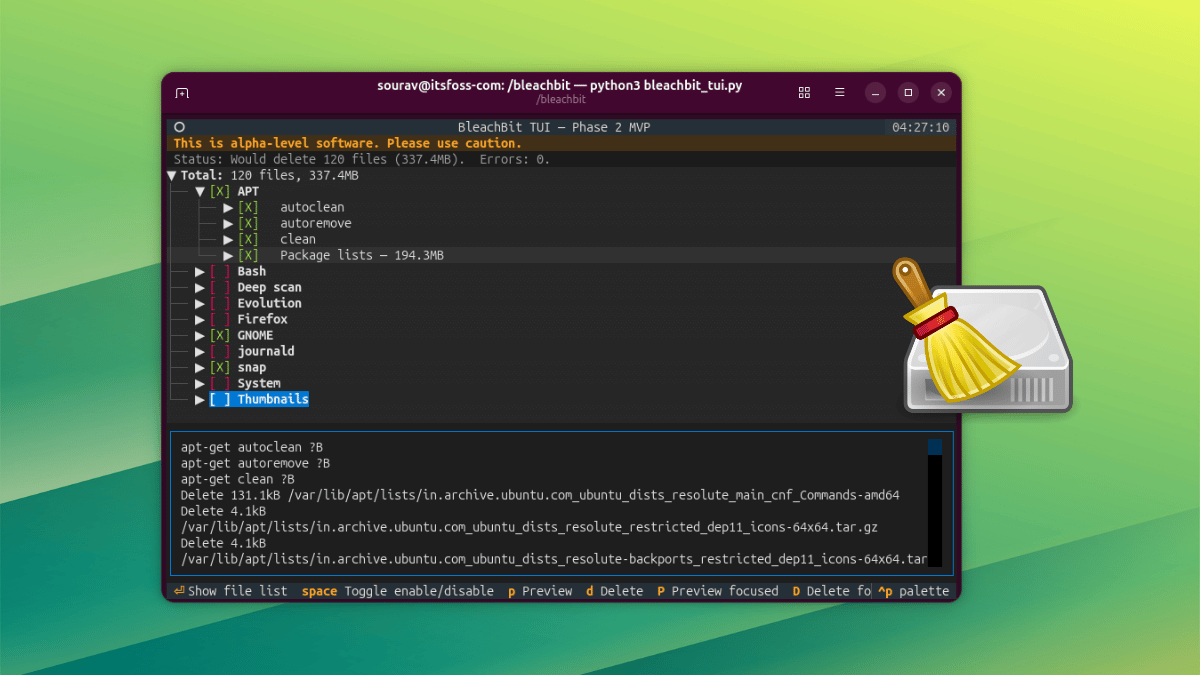
Developers announced the early release on Wednesday, emphasizing that the TUI is still under development but functional enough for testing.
“The TUI provides a lightweight, keyboard-driven alternative for power users who prefer terminal environments or need to run cleanup on servers,” the BleachBit team said in a statement.
How the TUI Works
The interface is simple to navigate using keyboard shortcuts. The space bar toggles cleaning options on or off, and the Enter key expands categories to reveal the underlying file list.
Two preview options are available: a lowercase ‘p’ runs a full preview across all selected items, while uppercase ‘P’ previews just the currently focused component. You can use Shift or Caps Lock for uppercase input.
For deletion, the ‘d’ key removes everything selected, and ‘D’ deletes the focused component specifically. In testing, deletion initially failed because the program lacked elevated privileges. Running with sudo python3 bleachbit_tui.py resolved the issue, followed by pressing ‘Y’ to confirm the action. After completion, a dialog in the bottom-right corner shows the number of deleted files and recovered space.
A palette menu, accessible via Ctrl+P, allows users to search commands, maximize a component, quit BleachBit, save a screenshot, or pull up the help panel with available keys.
Background
BleachBit is a free and open-source system cleaner available for Linux and Windows. It handles tasks such as clearing browser caches, removing old package archives, shredding files, and wiping free space. The tool has both a command-line interface and a full graphical application.

The new TUI shares its backend with the existing GUI, meaning it automatically picks up all user settings — including selected cleaning options, a keep list, custom cleaning list, and cookie preferences.
The TUI also supports display theme changes and some mouse interaction (including scroll wheel) alongside keyboard navigation. On Windows, the TUI ships as both an installer and a portable package, compiled as a native 64-bit binary. This contrasts with the 32-bit stable GUI and CLI builds currently available.
For Linux users, the official announcement provides quick-start instructions for running the TUI on Ubuntu. Alternatively, users can build from source code.
“This is still being developed. If you go ahead with testing it, expect things to break,” the team warned.
What This Means
The TUI offers a middle ground for users who find the command-line script too basic but don’t need a full graphical interface. It is particularly useful for headless servers, remote sessions via SSH, or users who favor keyboard-driven workflows.
Because the TUI inherits all settings from the GUI, it can serve as a drop-in replacement for daily cleanup tasks without requiring reconfiguration.
However, because it is an alpha release, stability issues are expected. Users should test it on non-critical systems and back up important data before running deletions.
Once mature, the TUI could become the primary interface for automation scripts or inclusion in Linux distribution repositories.