AirPods Max 2 vs Original: A Step-by-Step Comparison Guide
Introduction
You might think that a second-generation product would bring major improvements, but with the AirPods Max 2, Apple took the easy route. After spending a month with the new model, it's clear that the changes are minimal at best. This step-by-step guide will help you spot the few differences between the original AirPods Max and the AirPods Max 2, so you can make an informed decision about whether to upgrade or buy new.
What You Need
- Access to both the original AirPods Max and AirPods Max 2 (or their specifications)
- A USB-C cable (for the AirPods Max 2) and a Lightning cable (for the original)
- A quiet environment to test audio and noise cancellation
- A smartphone or computer to compare online specs
Step-by-Step Comparison
Step 1: Examine the Charging Port
The most obvious difference is the charging port. The original AirPods Max uses Apple's Lightning connector, while the AirPods Max 2 switches to USB-C. This change aligns with the EU's common charger directive and makes the headphones compatible with modern laptops, tablets, and Android devices. However, the actual charging speed remains the same (slow, at best). If you already have Lightning cables, the upgrade might be inconvenient.
Step 2: Compare Color Options
Apple refreshed the color palette for the AirPods Max 2, introducing new shades like Midnight, Starlight, and possibly others, while discontinuing some original colors like Space Gray and Silver. But the differences are purely cosmetic—the materials and finishes are identical. If you're a fan of the older colors, you might prefer the original.
Step 3: Check the Build and Design
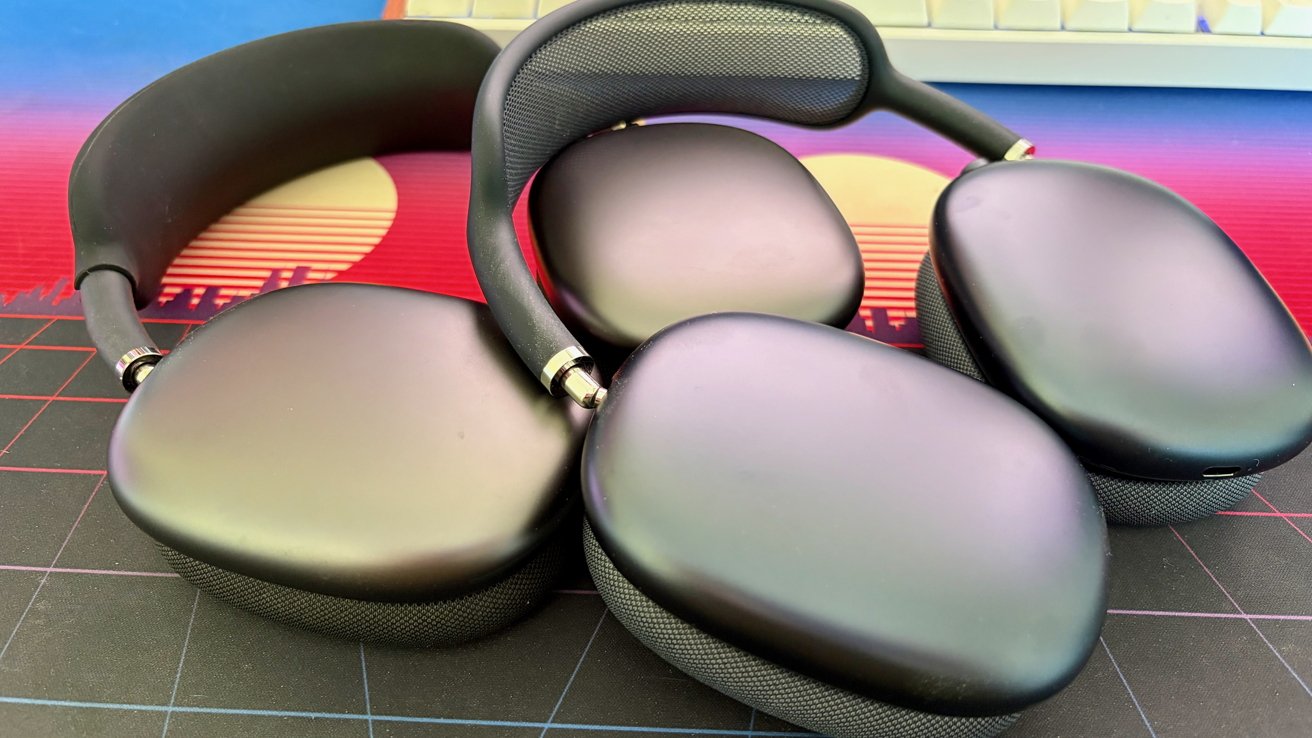
Place both headphones side by side. They look virtually identical: the same aluminum ear cups, stainless steel frame, and mesh headband. Dimensions, weight, and overall fit are unchanged. The ear cushions are interchangeable between models. There are no design improvements, which means the same potential issues (like headband tension or condensation) persist.
Step 4: Test Audio and Active Noise Cancellation
Apple claims no changes to the audio drivers or noise cancellation technology, and that's exactly what you'll hear. The sound signature remains neutral and detailed, and ANC performance is just as effective (and just as slightly behind competitors like Sony or Bose). Transparency mode is equally good. If you already own the original, you won't notice any sonic improvement.

Step 5: Analyze Battery and Connectivity
Both models offer the same 20-hour battery life with noise cancellation on, and a 1.5-hour charge time from empty. Bluetooth 5.0 is standard on both, and they lack any next-gen codecs like AptX or LDAC. The AirPods Max 2 might have slightly updated firmware, but functionality—including seamless switching and spatial audio—is identical.
Step 6: Look at Price and Packaging
The AirPods Max 2 launched at the same $549 price as the original. The packaging now includes a USB-C cable instead of a Lightning cable, but no other accessories changed. The smart case is identical. If you're buying new, you'll pay the same for essentially the same product.
Step 7: Assess the Upgrade Value
After going through all the steps, you'll find only one meaningful difference: the charging port. Everything else—from audio quality to build to features—is a carbon copy. For current owners, there's zero reason to upgrade unless you're desperate for USB-C. For new buyers, the AirPods Max 2 is just as good as the original, but not better.
Tips for Making Your Decision
- If you own the original AirPods Max: Save your money. The USB-C switch is not worth $549. Stick with Lightning unless you have an all-USB-C ecosystem.
- If you're buying for the first time: Choose the AirPods Max 2 only if you prefer USB-C or want a newer color. Otherwise, look for discounts on the original model—it's functionally identical.
- Wait for a true upgrade: Apple likely skipped major improvements this generation. If you can hold on, a future AirPods Max with better battery life, newer codecs, or lighter materials might be worth waiting for.